Posts

Create 7zip checksum in Windows

Image
In this post, I describe a quick way to create a checksum in Windows using the free GUI tool 7-Zip. Checksums can be used to verify the integrity of files.  It can be useful to generate them when you are sharing files with others so they can check the file they receive hasn't been tampered with or corrupted. Resolution To create a checksum in Windows: 1. Download and install the free tool 7-zip EDIT: 2. In 7-Zip v24, right click the file you want to generate a checksum for, go to 7-Zip then  CRC SHA  then  * (In earlier versions of 7-Zip, go directly to  CRC SHA then  * ) 3. After a short time, the checksum is generated: 4. You can shift select all the rows and press CTRL-C to copy the information. This post has been edited.  Thanks to the comment below for pointing out the difference in the context menu in the newer versions of 7-Zip. Related Posts - Bulk rename Windows files with touch-friendly PowerRename

Windows cannot delete object LDAP://... because: A referral was returned from the server.

Image
This post describes how to fix the error: Windows cannot delete object LDAP://... because: A referral was returned from the server. Cause This error occurred when I was trying to delete a domain controller using Active Directory Sites and Services.  The domain controller was part of a child domain which I had demoted. Resolution I force deleted the server using ADSIEdit: 1. Open  ADSI Edit . 2. Right click the  ADSI Edit  root node in the tree view on the left then select  Connect to... 3. In  Connection Settings , change the  Naming Context  to  Configuration  then press  OK 4. Navigate down to  CN=Servers  then right click the server you want to delete and select  Delete Related Posts - The time between replications with this source has exceeded the tombstone lifetime - The operation failed because spn value provided for addition/modification is not unique forest-wide - Error 0x2015(The directory service can pe...

Error 0x2015(The directory service can perform the requested operation only on a leaf object.)

Image
This post describes how to fix the error: “DsRemoveDsDomainW error 0x2015(The directory service can perform the requested operation only on a leaf object.)” and “ldap_delete_ext_sW error 0x42(66 (Not allowed on Non-leaf). Ldap extended error message is 00002015: UpdErr: DSID-03100E01, problem 6003 (CANT_ON_NON_LEAF), data 0 Win32 error returned is 0x2015(The directory service can perform the requested operation only on a leaf object.))” Cause There errors can occur when you use ntdsutil metadata cleanup or partition management and you try to delete domains or partitions that are not leaf objects i.e. objects that have children. They occurred for me when I was trying to delete a child domain before deleting domaindnszones. Resolution To resolve this issue, delete the child objects that are children, before attempting to delete their parents. 1. Run ntdsutil 2. Enter  partition management 3. Enter connections 4. Enter connect to server %ServerName%  (replace with your DC serve...

The operation failed because spn value provided for addition/modification is not unique forest-wide

Image
This post describes how to fix the error: The operation failed because spn value provided for addition/modification is not unique forest-wide Cause This error occurred when I demoted a child Active Directory domain controller then tried to rejoin the parent domain.  I think the parent domain still had some record of the SPN which I was not able to delete.  By default, Windows checks to ensure the SPN is unique. Resolution To resolve this issue, I disabled the uniqueness check as follows: 1. Open  ADSI Edit . 2. Right click the  ADSI Edit  root node in the tree view on the left then select  Connect to... 3. In  Connection Settings , change the  Naming Context  to  Configuration  then press  OK 4. Navigate down to  CN=Windows NT  then right click  CN=Directory Service  and select  Properties 5. Double click dSHeuristics and change the value to  000000000100000000023 to disable the UPN and SPN uniquen...

The time between replications with this source has exceeded the tombstone lifetime

Image
This post describes how to fix the error: "The directory service cannot replicate with this server because the time since the last replication with this server has exceeded the tombstone lifetime." and "It has been too long since this machine last replicated with the named source machine. The time between replications with this source has exceeded the tombstone lifetime. Replication has been stopped with this source." Cause This error can occur when trying to replicate configuration to or from the selected DC in Active Directory Sites and Services when replication has not occurred for more days than is specified in the tombstone lifetime. This error can also be seen when running DCDIAG /v /q /a from a Command Prompt. Resolution Increase Tombstone Lifetime If you are using a test environment, you may not care if replication has not occurred for a long time, so you can resolve this issue by increasing the tombstone lifetime. To do this: 1. Open ADSI Edit . 2. Right cl...

You cannot delete a sheet with a linked form. Please unlink the form first.

Image
This post describes how to fix the error: There was a problem You cannot delete a sheet with a linked form. Please unlink the form first. Cause This can occur if you have created a new form which is automatically linked to the sheet. I did this accidentally when I was trying to go to Data -> Sort Sheet. Resolution To resolve the issue, go to Tools -> Manage form -> Unlink form: You should now be able to successfully delete the form: Related Posts -  Insert multiple rows above or below in a Google Sheet

WARNING: MSG:UnableToDownload LinkID 627338 clcid 0x409

Image
This post describes how to resolve: WARNING: MSG:UnableToDownload «https://go.microsoft.com/fwlink/?LinkID=627338&clcid=0x409» «» Cause This warning can occur when trying to get a PowerShell repository and Tls12 is not specified as the SecurityProtocol. Resolution To resolve this issue, set the SecurityProtocol to Tls12 by running this command in PowerShell: [Net.ServicePointManager]::SecurityProtocol = [Net.SecurityProtocolType]::Tls12 You should then be able to get repositories and install PowerShell modules successfully. Related Posts -  Unable to find package provider 'NuGet'. It may not be imported yet. Try 'Get-PackageProvider -ListAvailable'.

Unable to find package provider 'NuGet'. It may not be imported yet. Try 'Get-PackageProvider -ListAvailable'.

Image
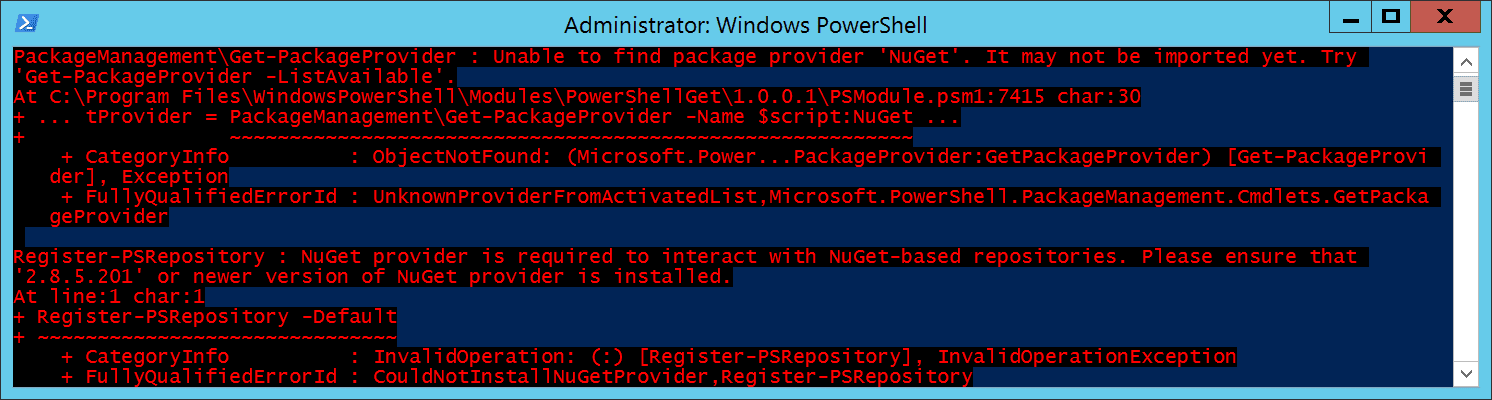
This post describes how to fix the error: PackageManagement\Get-PackageProvider : Unable to find package provider 'NuGet'. It may not be imported yet. Try  'Get-PackageProvider -ListAvailable'. At C:\Program Files\WindowsPowerShell\Modules\PowerShellGet\1.0.0.1\PSModule.psm1:7415 char:30 + ... tProvider = PackageManagement\Get-PackageProvider -Name $script:NuGet ... +                 ~~~~~~~~~~~~~~~~~~~~~~~~~~~~~~~~~~~~~~~~~~~~~~~~~~~~~~~~~     + CategoryInfo          : ObjectNotFound: (Microsoft.Power...PackageProvider:GetPackageProvider) [Get-PackageProvi der], Exception     + FullyQualifiedErrorId : UnknownProviderFromActivatedList,Microsoft.PowerShell.PackageManagement.Cmdlets.GetPacka geProvider Install-Module : NuGet provider is required to interact with NuGet-based repositories. Please ensure that '2.8.5.201'  or newer version of NuGet provider is installed. At line:1 char:1 + Inst...

No match was found for the specified search criteria for the provider 'NuGet'

Image
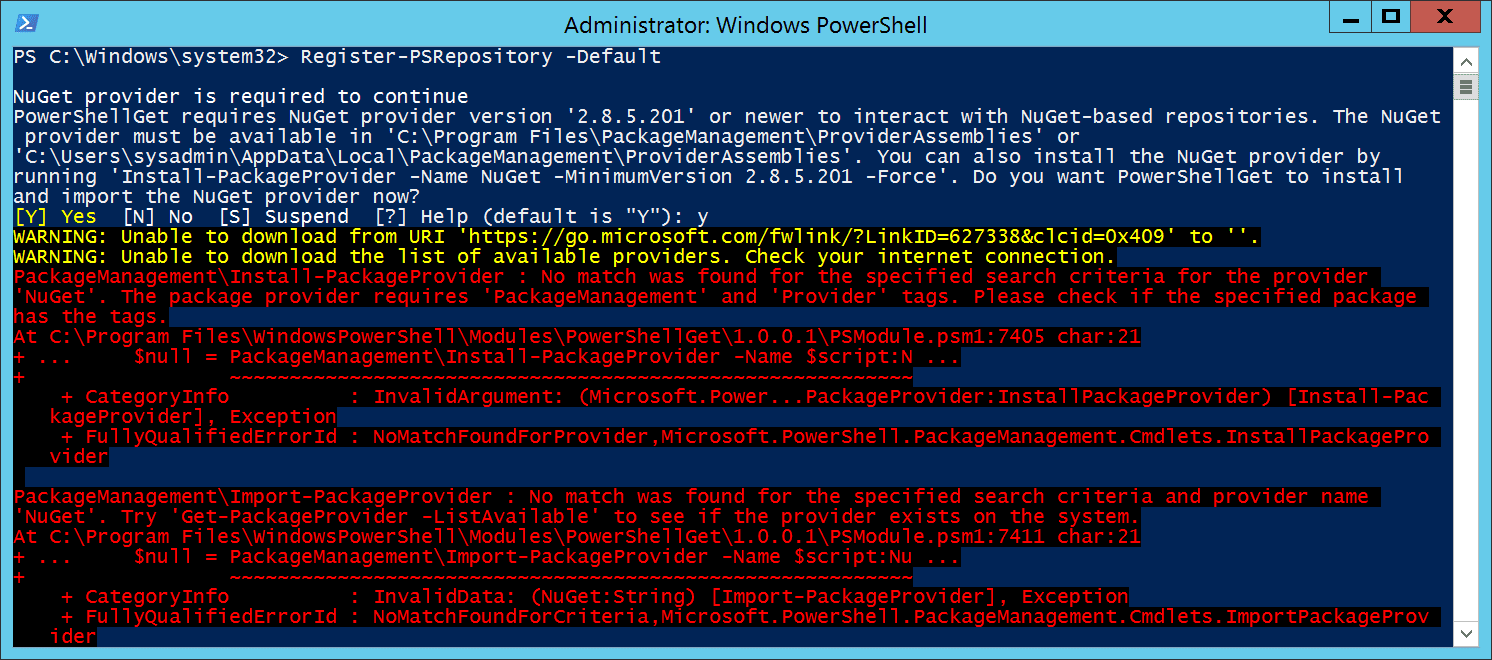
This post describes how to fix the error: PackageManagement\Install-PackageProvider : No match was found for the specified search criteria for the provider  'NuGet'. The package provider requires 'PackageManagement' and 'Provider' tags. Please check if the specified package  has the tags. At C:\Program Files\WindowsPowerShell\Modules\PowerShellGet\1.0.0.1\PSModule.psm1:7405 char:21 + ...     $null = PackageManagement\Install-PackageProvider -Name $script:N ... +                 ~~~~~~~~~~~~~~~~~~~~~~~~~~~~~~~~~~~~~~~~~~~~~~~~~~~~~~~~~     + CategoryInfo          : InvalidArgument: (Microsoft.Power...PackageProvider:InstallPackageProvider) [Install-Pac kageProvider], Exception     + FullyQualifiedErrorId : NoMatchFoundForProvider,Microsoft.PowerShell.PackageManagement.Cmdlets.InstallPackagePro vider PackageManagement\Import-PackageProvider : No match was found for the specif...

WARNING: Unable to download the list of available providers. Check your internet connection.

Image
This post describes how to resolve: WARNING: Unable to download the list of available providers. Check your internet connection. Cause This warning can occur when trying to install a PowerShell module or register a PowerShell repository and Tls12 is not specified as the SecurityProtocol. Resolution To resolve this issue, set the SecurityProtocol to Tls12 by running this command in PowerShell: [Net.ServicePointManager]::SecurityProtocol = [Net.SecurityProtocolType]::Tls12 You should then be able to register module repositories and install PowerShell modules successfully. Related Posts -  WARNING: Unable to download from URI 'https://go.microsoft.com/fwlink/?LinkID=627338&clcid=0x409' to ''.

WARNING: Unable to download from URI LinkID 627338 clcid 0x409 to

Image
This post describes how to resolve: WARNING: Unable to download from URI 'https://go.microsoft.com/fwlink/?LinkID=627338&clcid=0x409' to ''. Cause This warning can occur when trying to install a PowerShell module or register a PowerShell repository and Tls12 is not specified as the SecurityProtocol. You can check the SecurityProtocol by running this command in PowerShell: [Net.ServicePointManager]::SecurityProtocol Resolution To resolve this issue, set the SecurityProtocol to Tls12 by running this command in PowerShell: [Net.ServicePointManager]::SecurityProtocol = [Net.SecurityProtocolType]::Tls12 You should then be able to register module repositories and install PowerShell modules successfully. Related Posts - Get-PSGalleryApiAvailability : PowerShell Gallery is currently unavailable. Please try again later.

Get-PSGalleryApiAvailability : PowerShell Gallery is currently unavailable. Please try again later.

Image
This post describes how to fix the error: Get-PSGalleryApiAvailability : PowerShell Gallery is currently unavailable.  Please try again later. At C:\Program Files\WindowsPowerShell\Modules\PowerShellGet\1.0.0.1\PSModule.psm1:4264 char:9 +         Get-PSGalleryApiAvailability -Repository $Name +         ~~~~~~~~~~~~~~~~~~~~~~~~~~~~~~~~~~~~~~~~~~~~~~     + CategoryInfo          : InvalidOperation: (:) [Get-PSGalleryApiAvailability], InvalidOperationException     + FullyQualifiedErrorId : PowerShellGalleryUnavailable,Get-PSGalleryApiAvailability Cause This error can occur when trying to set a value for a registered module repository and Tls12 is not specified as the SecurityProtocol. You can check the SecurityProtocol by running this command in PowerShell: [Net.ServicePointManager]::SecurityProtocol Resolution To resolve this issue, set the SecurityProtocol to Tls12 by running this command...

Increase border width on hover without moving other content

Image
In this post, I describe how to increase the border thickness when you hover over an element without causing other elements on the page to move around. Cause If you add or increase the border width (top or bottom) of an element, it will increase the height of that element, which can cause other things on the page to move down. Resolution Element does not have a border If your element doesn't already have a border, you can add a transparent border, then change this to a coloured border on hover, for example: .item { border : 1px solid transparent ; }     .item:hover { border-color : red ; } Element has a border There are three ways to add a thicker border on hover if the element already has a border: 1. Reserve space in the element and expand the thicker border into that space.  For example, if you have an a element sized using line-height, you can set the min-height to a slightly bigger value to cater for the thicker border on hover: .item {     line-h...

Filter Windows Event Log by Exception Message

Image
In this post, I describe how you can filter the Windows Event Log by Exception Message.  This allows you to see when and how often a particular exception has occurred. The Get-EventLog PowerShell cmdlet can be used to get all the event log entries with an exception message containing the specified text, for example, the following command gets all the entries containing the text "The process cannot access the file": Get-EventLog -LogName Application | Select Index , TimeGenerated , Message , Source | where {( $_ . Message -like "*The process cannot access the file*" ) -and ( $_ . Source -like "ASP*" )}

The hostname in the website’s security certificate differs from the website you are trying to visit.

Image
In this post, I describe how to fix the error The hostname in the website’s security certificate differs from the website you are trying to visit. Error Code: DLG_FLAGS_SEC_CERT_CN_INVALID This error can occur when you browse to an HTTPS address: Cause This can occur when you have configured an IIS Site Binding to use HTTPS but there is a problem with the certificate you have selected. Resolution To resolve the issue, follow the steps in my other post  Mismatched Address certificate error - HTTPS localhost IIS Related Posts - Mismatched Address certificate error - HTTPS localhost IIS - How to create a self-signed public certificate - Powershell

Mismatched Address certificate error - HTTPS localhost IIS

Image
In this post, I describe how to use HTTPS with SSL on a local IIS development environment without the Mismatched Address certificate error: Cause This error can occur when you use Create Self-Signed Certificate in IIS.  The error says "Mismatched Address" and that the server cannot prove that it is its name. Resolution To resolve the issue, you can use the PowerShell cmdlet  New-SelfSignedCertificate to create the certificates. The following PowerShell code will create the root certificate, then create the SSL certificate signed by the root certificate, then import the root certificate into the Trusted Root Certification Authorities store: # Create the root certificate and store the thumbprint in a variable $thumb = ( New-SelfSignedCertificate -Type "Custom" -KeyExportPolicy "Exportable" -Subject "ROOT" -CertStoreLocation "Cert:\LocalMachine\My" -KeySpec "Signature" -KeyUsage "CertSign" -NotAfter ( Get-Date ) . A...

Chrome address autocomplete covers QuickBooks Country autocomplete

Image
In this post, I describe a quick way to hide the Chrome address autocomplete which can appear and cover over the QuickBooks Country autocomplete, preventing you from selecting the country: If you click out of the textbox, both the Chrome autocomplete and the QuickBooks autocomplete disappear. Resolution If you press Escape whilst both autocompletes are showing, only the Chrome autocomplete disappears, revealing the QuickBooks autocomplete underneath:

Windows 11 God Mode - shortcut to all control panel settings

Image
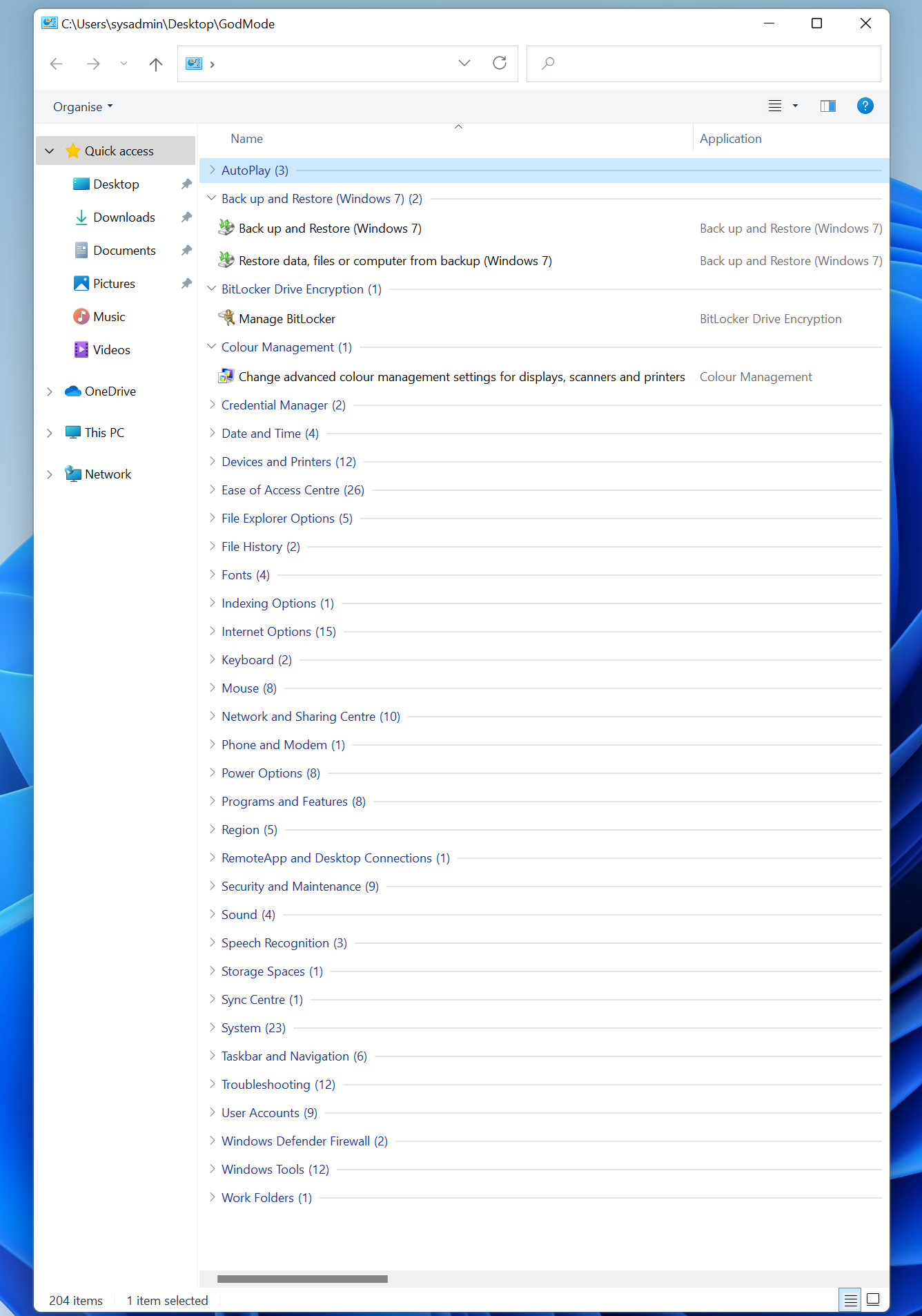
In this post, I describe how to create a shortcut to all the control panel settings in Windows 11.  This trick also applies to Windows 10, 8 or 7 and has the rather elaborate name "GodMode". To create the shortcut, simply create a Folder in Windows Explorer and give it the name: GodMode.{ED7BA470-8E54-465E-825C-99712043E01C} The shortcut will automatically show a control panel icon: Open the shortcut to view all the control panel settings. You can right click a group heading and select Collapse all groups if required.

Bulk rename Windows files with touch-friendly PowerRename

Image
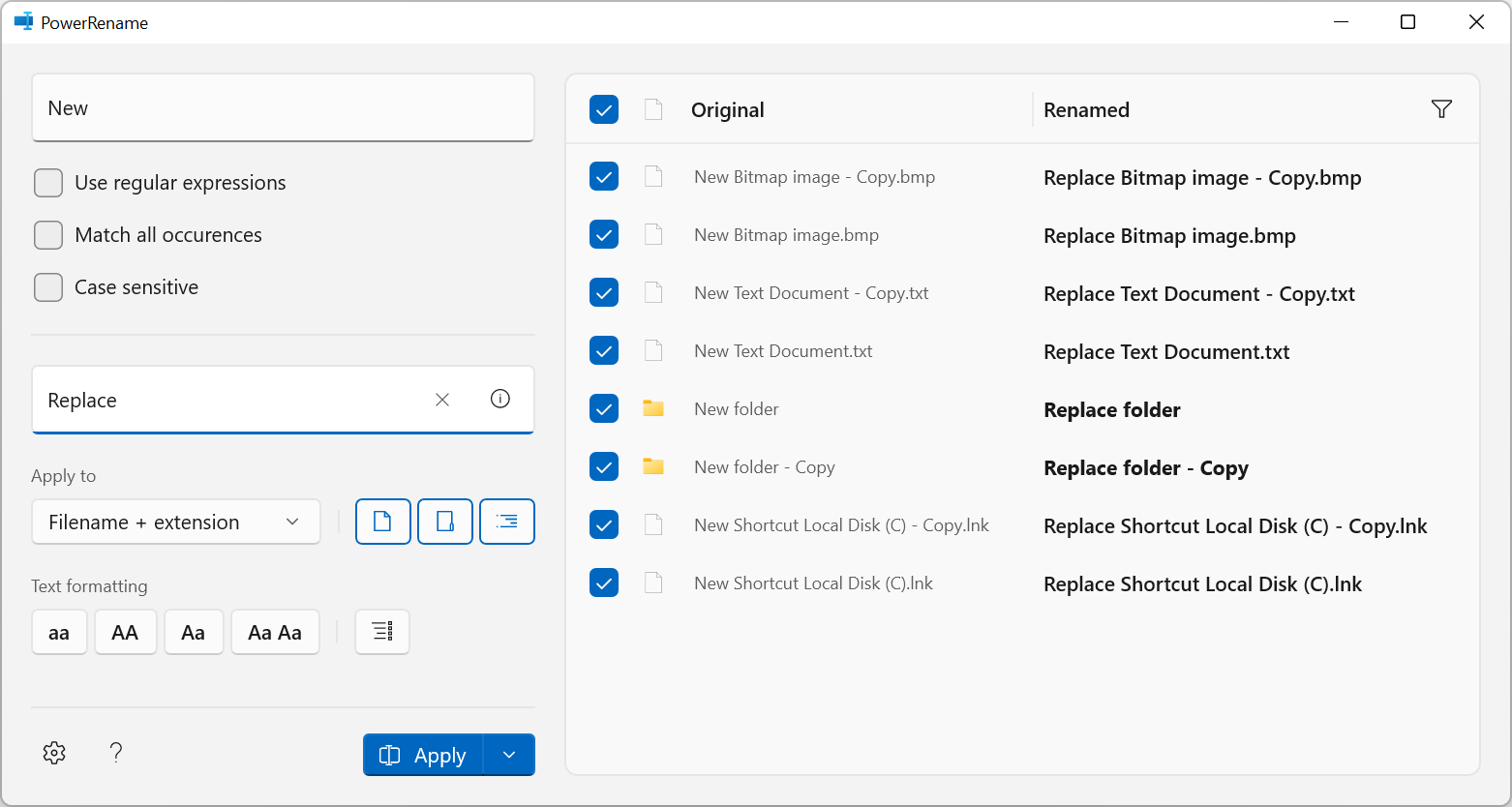
This post describes how you can rename files and folders in bulk in Windows using a tool called PowerRename which has recently been updated with a new touch-friendly interface: Resolution Firstly, you need to download and install  Microsoft PowerToys  v0.49.1 Once installed, in Windows Explorer, select all the files and folders you want to rename and right click, you should see a new option 'PowerRename' in the context menu (if you're using Windows 11, you might need to press Show More Options first): You can then type the text you want to replace in the 'Search for' textbox and the text you want to replace it with in the 'Replace with' textbox. There are various self-explanatory settings with tooltips that you can change to adjust how the text is matched and what the rename will apply to. Pressing the i button inside the 'Replace with' textbox shows some special codes that can be used to replace using file creation date and time: You can see how the...