Group Policy Object Analyzer - GPO Reporting Tool

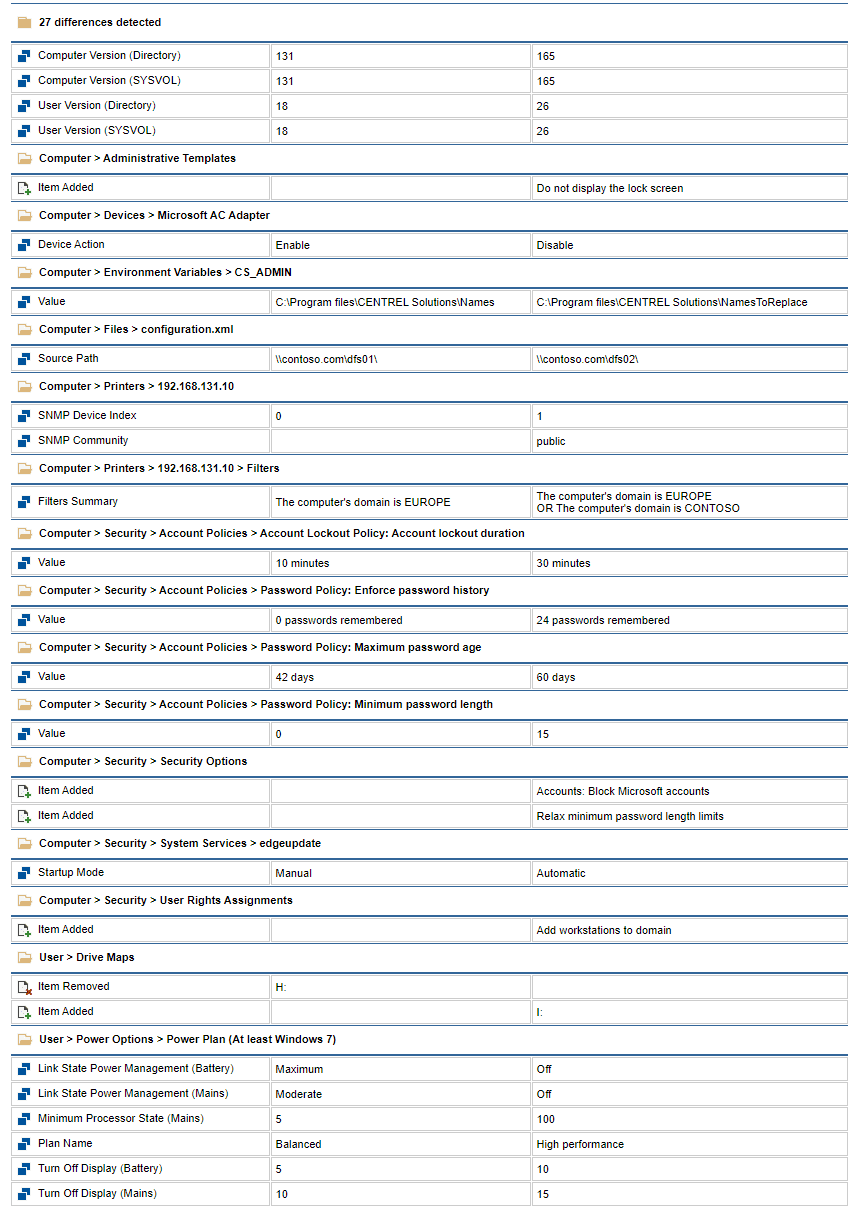
In this post, I describe two tools you can use to analyze your Group Policy objects. They serve as an alternative to the Save Report... function built into the Group Policy Management Console which is very limited. Issue If you want to analyze or run reports on your Group Policy objects, you can use the Group Policy Management Console user interface or the Save Report... function but this can be very slow and inefficient, particularly when auditing lots of Group Policy settings. Resolution Free GPO Analyzer Tool CENTREL Solutions has produced a C# data model API which allows you to access your GPO settings and analyse them more easily, either in PowerShell or in .NET code: You can download this tool for free here: Group Policy Report API for C#.NET and PowerShell XIA Configuration CENTREL Solutions has also produced a documentation tool called XIA Configuration which includes support for detailed GPO settings: You can run reports to audit GPO settings across all your GPOs at once: You ...